
How to delete your Find account
Follow these steps in the Find app to permanently delete your account.
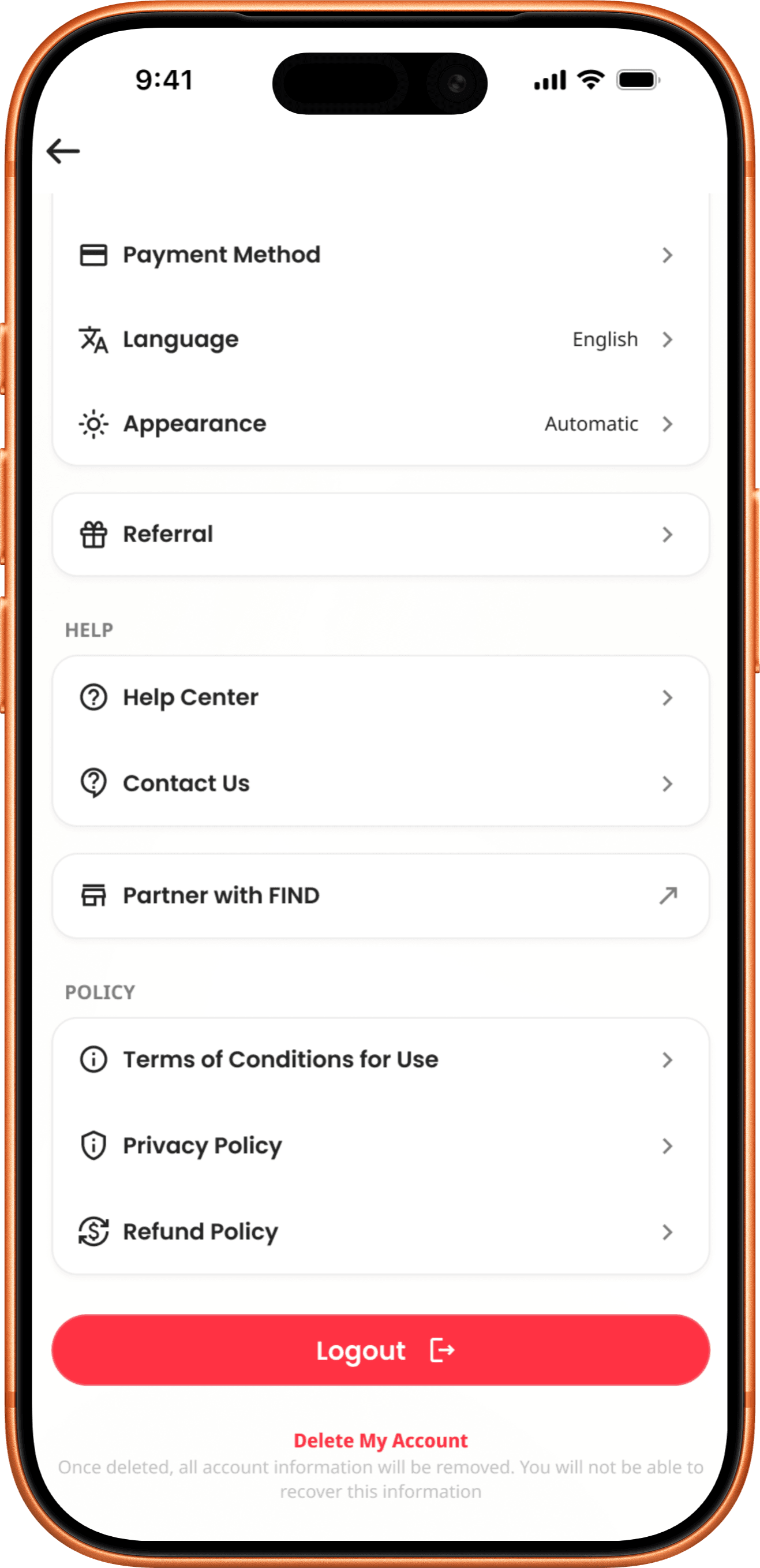
Go to your account settings
Go to your profile, access settings, scroll down, and tap Delete Account.
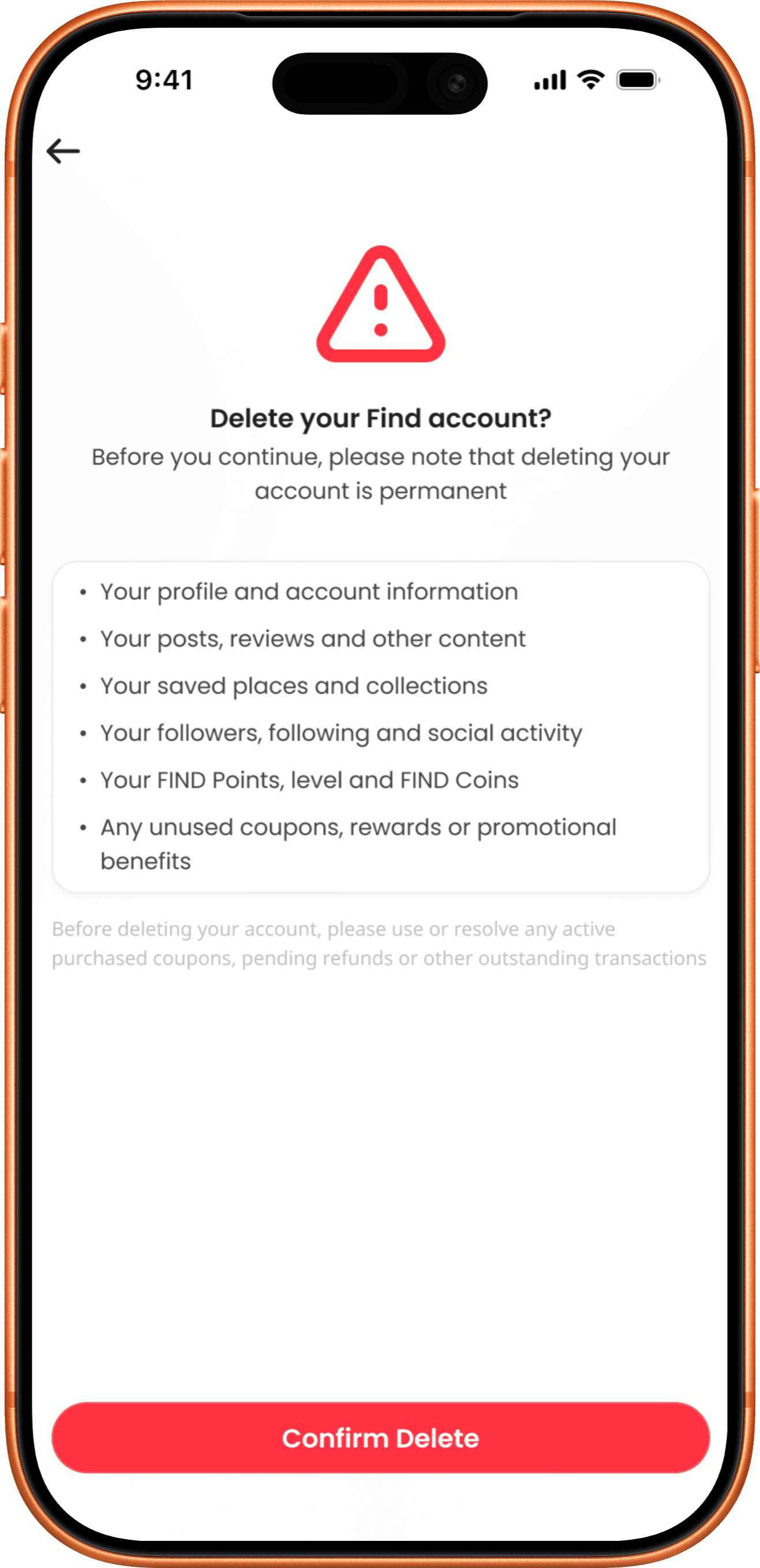
Confirm account deletion
Review what will be removed. Tap Confirm Delete. This action is permanent.
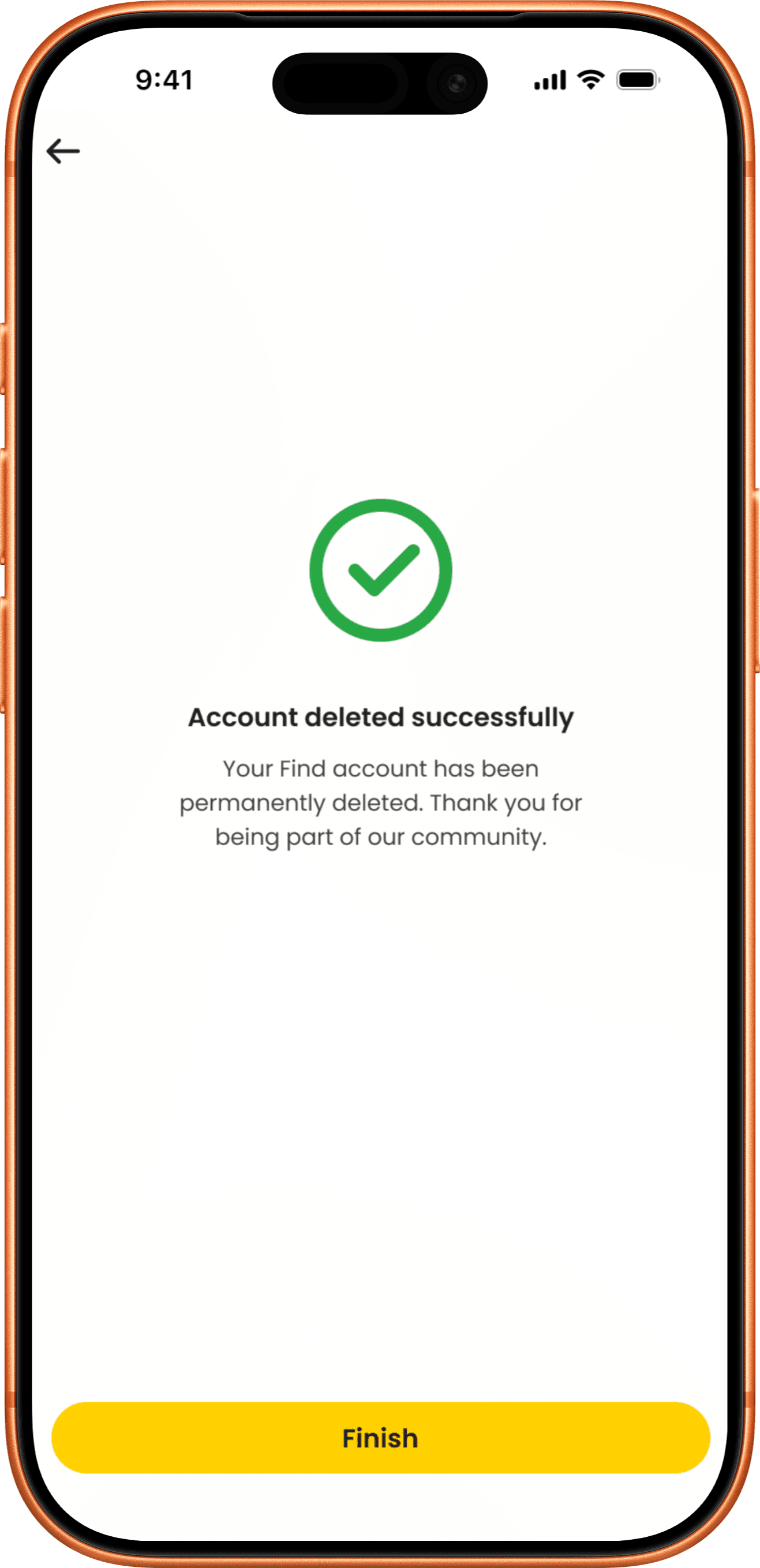
Complete the process
Account deleted successfully. Tap Finish to complete.

Before you delete your account
Please use any active purchased coupons and resolve pending refunds or outstanding transactions before proceeding.
Deleting your account permanently removes:
- Your profile and account information
- Your posts, reviews and other content
- Your saved places and collections
- Your followers, following and social activity
- Your FIND Points, level and FIND Coins
- Any unused coupons, rewards or promotional benefits